
The way we interact with the internet is undergoing a massive change with the launch of the Google Chrome Skills feature. For many of us, using artificial intelligence has meant typing the same instructions over and over again to get the results we need. Whether you are summarizing articles or looking for specific data, the process could feel a bit repetitive. Now, Google is tackling this issue by giving you the option to store your most useful queries for future reuse. As you adopt an AI-based approach towards boosting productivity, your web browser stops being a mere gateway to the internet and becomes your partner who learns from your experience. It represents one of the key highlights of Google Chrome AI update 2026.
In this blog post, we reveal how the technological move towards automated browsers and agentic software will shape an era of fast-paced computational evolution. However, the key question here is, what will be the implications of the Google Chrome Skills strategy on the global AI workflow hierarchy
U.S. rollout highlights growing demand for AI-powered browser tools
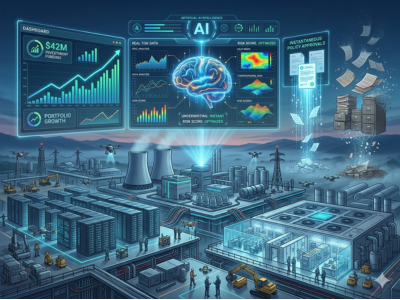
The rollout of Google Chrome AI Skills across the United States reflects a strategic push to integrate automation directly into the consumer experience. The Generative AI Market is expanding rapidly as U.S. developers focus on creating workflow automation tools that reduce the time spent on manual data entry and repetitive online searches. This trend highlights a move toward a more efficient digital economy where AI integration in web browsers becomes a standard expectation for American professionals and casual users alike.
Google introduces AI-powered Skills in Chrome
The introduction of Skills in Chrome marks a new chapter for the world’s most popular browser. This feature is designed to help people get more done without the friction of constant typing. Instead of just answering questions, Chrome is now capable of performing AI task execution based on your specific needs. By bringing Gemini in Chrome Skills into the main interface, Google is making it easier for users to manage their digital lives. It is a smart move that turns the browser into a central hub for AI workflows, allowing you to apply your favorite logic to any website you visit. This update ensures that the power of generative AI is always just a click away.
New feature lets users turn prompts into reusable one-click workflows
The heart of this update is the ability to transform a standard prompt into reusable AI prompts. When you find a set of instructions that works perfectly, like asking for a vegan version of a recipe or a summary of a legal document, you can save it as a Skill. The next time you need that specific action, you don’t have to remember the exact wording. You simply activate your saved Chrome one-click AI workflows and let the browser do the heavy lifting. This type of prompt automation is a game-changer for anyone who performs the same tasks daily. It essentially allows you to build your own library of smart browsing tools tailored exactly to your personal or professional habits.
Gemini integration enables seamless AI task execution across tabs
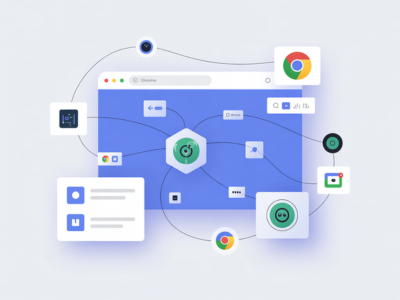
The deep integration offered by the Gemini Chrome skills allows them not to be restricted to one page only. You can run your AI task execution across multiple open tabs at once. For example, if you are shopping for a new laptop, you can use a Compare Specs Skill to pull data from several different retail sites simultaneously. This capability for AI browsing experience optimization saves an incredible amount of time that would otherwise be spent clicking back and forth. It is a perfect example of how digital workflow optimization can make a real difference in our daily routines. The integration is smooth, allowing the AI to gather and process information while you stay focused on the bigger picture.
Skills library offers ready-made workflows for productivity
For those who are new to prompt engineering tools, Google is providing a head start with a built-in library of ready-to-use Skills. This library includes AI automation Chrome browser tools for common tasks like calculating nutritional information from recipes or scanning long documents for key dates. These generative AI tools are designed to show users what is possible and provide immediate value. You can browse the library, find a workflow that fits your needs, and add it to your personal collection with a single click. It is a fantastic resource for anyone looking to boost their AI-powered productivity without having to write complex instructions from scratch.
Users can customize and remix AI prompts for personalized use cases
One of the most user-friendly aspects of the Gemini Skills feature Chrome offers is the ability to remix existing tools. If you find a Skill in the library that is almost perfect but needs a small tweak, you can easily edit the prompt to better suit your style. This flexibility allows for a highly AI browsing experience where the tools adapt to you, rather than the other way around. You can take a general productivity Skill and turn it into a specialized task automation in browsers tool for your specific hobby or job. This level of customization ensures that reusable AI prompts remain relevant as your needs change over time. It encourages users to experiment and find the most efficient ways to navigate the web.
Feature designed to streamline browsing with repeatable AI actions
The ultimate goal of the Skills in Chrome rollout is to remove the boring parts of the internet. By focusing on repeatable AI actions, Google is helping users bypass the manual labor of sorting, searching, and re-typing. Whether it is tracking a package or organizing a travel itinerary, these AI productivity features act as a shortcut to the information you actually want. The process is simple: type a forward slash or click the plus button to see your list of Skills. From there, the Chrome AI workflows feature takes over, delivering results instantly on the page you are viewing. It is a significant step forward in making our online lives feel more organized and less cluttered.
What Skills in Chrome mean for the future of AI-driven web productivity
Looking ahead, the Google Chrome AI news suggests a future where our browsers are much more than just gateways. We are moving toward an era of AI-powered productivity where every action we take online is supported by smart, background automation. The future of AI-driven web productivity will likely involve even deeper integrations, where your browser anticipates which Skill you need based on the site you are visiting. As these workflow automation tools become more sophisticated, the boundary between searching and doing will continue to disappear. This launch is a clear sign that the next generation of the web will be defined by how well our tools can learn from us and help us achieve our goals with less effort.